In today's fast-paced digital world, the need to share text online quickly and securely has become essential. Whether you're a student sharing notes, a developer sending code snippets, or a professional collaborating with a team, efficient text sharing saves both time and effort.
Traditional methods like email and messaging apps often come with limitations—formatting issues, file size restrictions, or delays. That's where modern tools like PrimeNotepad step in, offering a faster and more seamless way to share content.
In this guide, you'll learn everything about online text sharing, including how it works, its benefits, and how to use it effectively.
What Is Online Text Sharing?
Online text sharing is the process of uploading written content to a digital platform and generating a link or access point that can be shared with others. Instead of copying content repeatedly across different platforms, users can simply send one link.
This approach offers several advantages. It simplifies workflows, reduces redundancy, and ensures that your content remains consistent no matter who accesses it. Additionally, it works across all devices, making it highly flexible.
Step-by-Step Guide to Sharing Content Online
Sharing text online is easier than ever with tools like PrimeNotepad Share Text Tool. Follow this simple step-by-step process to share your content instantly and securely.
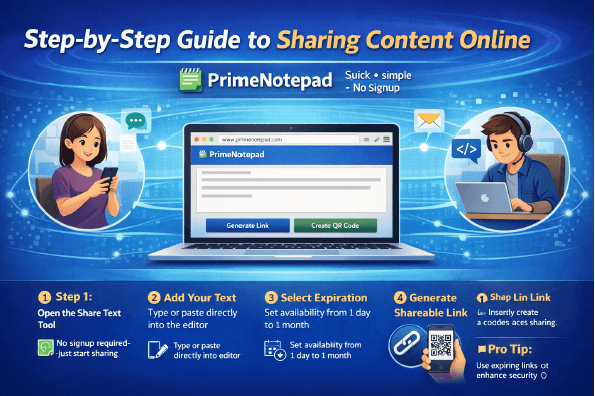
Step 1: Open the Share Text Tool
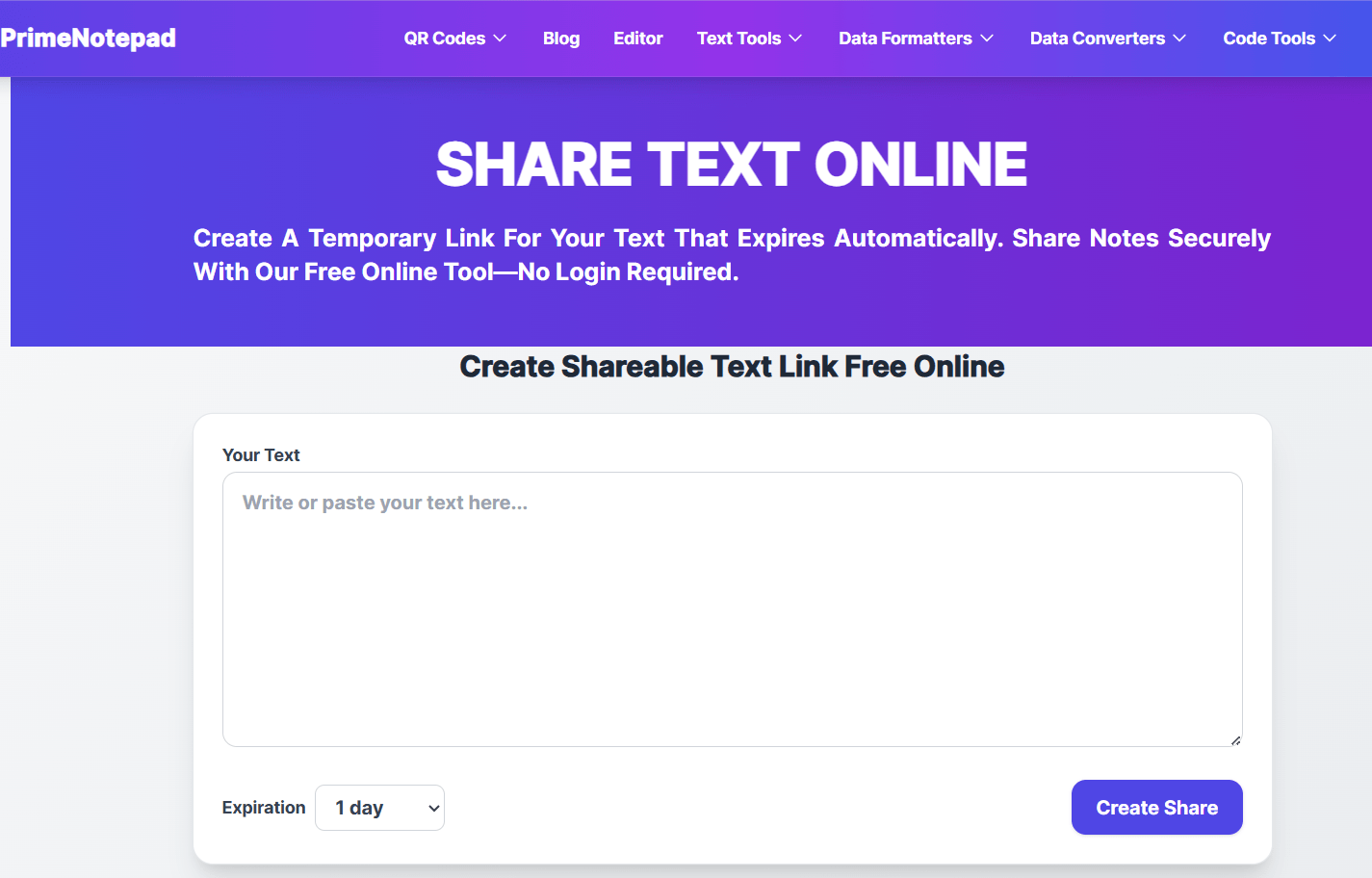
Visit the PrimeNotepad Share Text Page.
No signup or login is required, so you can start sharing immediately.
Step 2: Enter or Paste Your Content
Type directly into the editor or paste your existing text.
The clean interface ensures your content remains well-structured and easy to read.
Step 3: Set Expiration Time
Choose how long your content should stay available:
This feature helps maintain privacy and control over your shared content.
Step 4: Generate a Shareable Link
Click on "Create Share" to instantly generate a unique link.
This link acts as your access point—anyone with it can view your content.
Step 5: Share via Link or QR Code
You can now:
- Send the link via email or messaging apps
- Share on social media
- Use a QR code for instant mobile access
This ensures fast, flexible, and cross-device sharing.
Why PrimeNotepad Is Gaining Popularity
Simple and Efficient
PrimeNotepad stands out because of its minimal design and ease of use. Users don't need to create accounts or go through lengthy processes.
Key Benefits
- Instant link generation
- Clean and distraction-free interface
- Fast performance
- Mobile and desktop compatibility
- No unnecessary features
These qualities make it ideal for users who want a straightforward solution for sharing content.
Benefits of Sharing Text Online
1. Instant Access: Your content becomes available immediately after generating a link. This is especially useful in urgent situations.
2. Cross-Device Compatibility: Whether you are using a smartphone, tablet, or computer, you can access your shared content without any issues.
3. Time-Saving: There is no need to download files or send attachments repeatedly. A single link does the job.
4. Improved Collaboration: Teams can exchange ideas, drafts, and updates in real time, making workflows smoother.
5. Enhanced Security Options: Many platforms allow users to set expiration times or restrict access, adding an extra layer of protection.
The Role of QR Codes in Modern Sharing
QR codes have transformed how people access digital content. Instead of typing long links, users can simply scan a code and open the content instantly.
Advantages of QR Codes
- Quick and easy access
- Eliminates typing errors
- Works well in both online and offline environments
- Ideal for presentations, classrooms, and events
Practical Applications
- Teachers sharing study materials
- Businesses promoting services
- Event organizers providing information
- Individuals sharing personal notes
Using QR codes alongside online sharing tools creates a smooth and efficient experience.
SEO Benefits of Online Sharing Tools
If you run a website or blog, integrating sharing features can significantly improve performance.
Better User Engagement: Visitors are more likely to interact with content that is easy to share.
Increased Traffic: When users share your content, it reaches a wider audience, bringing in new visitors.
Improved User Experience: Quick and simple sharing reduces frustration and keeps users engaged.
Keyword Optimization: Using relevant terms like Best Free QR Code Generator in a natural way helps search engines understand your content and rank it appropriately.
Best Practices for Effective Sharing
To get the most out of online sharing tools, consider the following tips:
- Keep your content clear and well-structured
- Avoid sharing sensitive or confidential information publicly
- Use meaningful titles for better understanding
- Enable expiration settings when needed
- Combine links with QR codes for better accessibility
These practices ensure that your content remains useful, secure, and easy to access.
Future Trends in Digital Sharing
Technology continues to evolve, and online sharing is no exception. In the coming years, we can expect several advancements:
- Real-time collaboration features
- AI-powered content formatting
- Voice-to-text capabilities
- Stronger encryption methods
- Integration with productivity and workflow tools
These innovations will make sharing even more efficient and user-friendly.
Frequently Asked Questions (FAQs)
1. What is Share Text Online?
Share Text Online is a simple way to send notes, messages, code, or links instantly through a shareable URL without downloading any software.
2. Is the Share Text tool free to use?
Yes, PrimeNotepad offers the Share Text tool completely free with no signup required.
3. Can I share large text files online?
Yes, you can paste and share long text content, notes, snippets, or important information quickly using the online text sharing tool.
4. Do I need to create an account to share text?
No, the tool works instantly without registration, making it fast and convenient for quick sharing.
5. Is my shared text secure?
Most shared texts are accessible only through the generated unique link, helping keep your content private and easy to manage.
6. Can I use Share Text Online on mobile devices?
Yes, the tool is fully responsive and works smoothly on smartphones, tablets, laptops, and desktop browsers.
Conclusion: Embrace Smarter Sharing Methods
The ability to share content quickly and efficiently is essential in today's digital landscape. By using modern tools like PrimeNotepad and combining them with QR code technology, users can simplify their workflows and improve productivity.
As digital communication continues to grow, adopting smarter sharing methods will help you stay ahead and work more efficiently in both personal and professional environments.
Start using smarter sharing methods today and experience the difference.